|
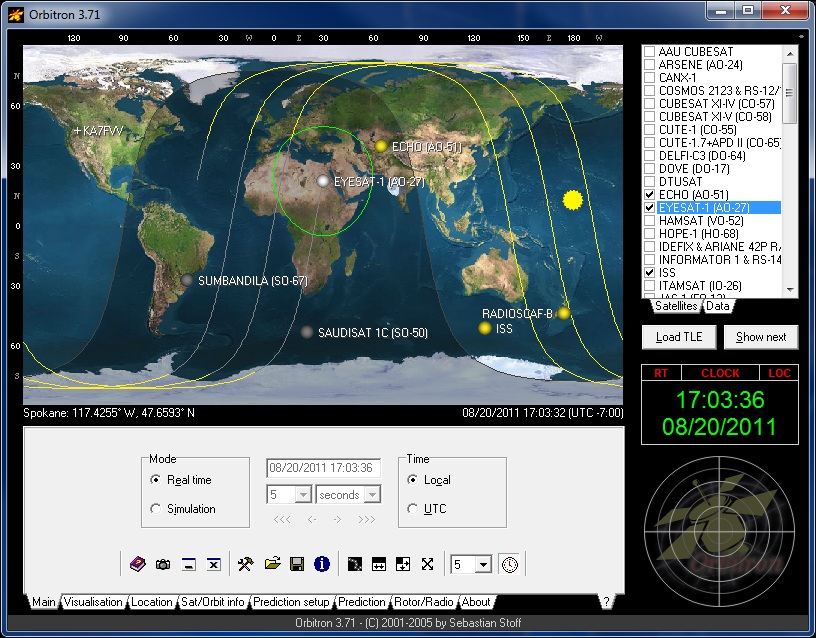
Orbitron is
probably the most popular satellite tracking program for the PC.
It is free but has not been updated in years. Even being so
old it still runs flawlessly under Windows 11 today.
There is a problem with the
Keplerian element sets,
(tracking elements), that it downloads if you are using it today or
download from the source web site. Celestrak has changed their
format for the files and file names. A friend and I got locked
out of being able to pull update due to this fact. My friend
contacted the Celestrak administrator and after we updated our file
URLs we were unblocked and all has been well ever since. One
change made a few years ago was moving from Celestrak.com to
Celestrak.org.
Even through the .com files still appear to update they will
eventually go a way.
To update your
URLs to pull tracking elements with Orbitron and continue to copy
and paste the following list of URLs into your group editor for
Celestrak.com - Common. Be sure and delete the old URLs with
.com before you do so they will not be used again.
I have added
two at the bottom that I use as well. I have been using the
NASA Bare set for years and the CSN Bare is used if you have the
S.A.T. interface by CSN Technologies. This set will have a lot
of the newer Russian UHF SSTV satellite in my SSTV/Digital list.
For all the details see this web
page:
https://usradioguy.com/using-new-tle-format/
If anyone uses GoSatWatch on IOS
this also effects that application as well.
Any
application that uses the old Celestrak.com URLs needs to be
updated. |